
8 Embroidery Brands Helping Hobbyists Create Custom Gifts, Clothing and Children’s Items
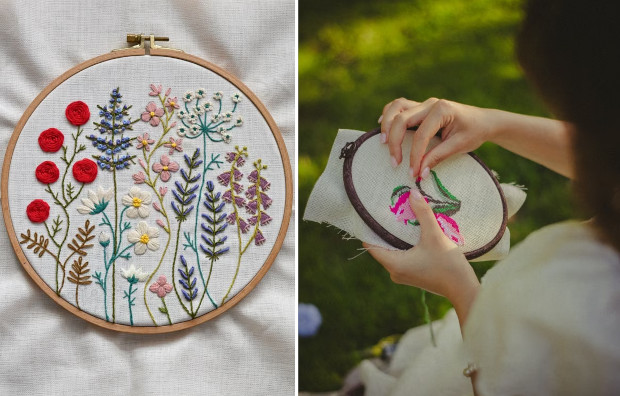
8 Embroidery Brands Helping Hobbyists Get Creative
Making something that is custom and personalised to a specific person is the exact kind of thing that makes machine embroidery such an enjoyable hobby. Matching Christmas pyjamas, a baby’s name on their first blanket, or an inside joke on a tote bag. These are all ordinary things that can be turned into a gift that feels truly personal.
Of course, once you’ve made a few projects using ready-made designs, it can be tempting to try creating your own. That’s where embroidery software can give you a helping hand. Some programmes are better for making small changes, while others let you build a design from scratch.
Here are eight brands to explore, depending on what you’d like to make.
1. Embroidery Legacy
If you’ve ever found an embroidery design that’s almost perfect but not quite what you had in mind, Embroidery Legacy is worth taking a look at. Alongside its large collection of machine embroidery designs and fonts, the company also offers digitising software that lets you create your own designs. It’s designed to be approachable for beginners, without leaving out the professional manual controls you might want as your skills improve.
There’s plenty of help available, too. Embroidery Legacy, found at embroiderylegacy.com, puts a lot of emphasis on teaching people how digitising actually works, which is reassuring when you’re learning something new. You could start with a simple name on a child’s jumper and gradually work towards your own artwork.
2. Hatch Embroidery
Hatch Embroidery gives you plenty of room to experiment, especially if you’re getting bored of using the same designs. Depending on the software level, you can edit existing embroidery files, play around with lettering, or even digitise something completely original and new. It’s a good one to consider if you enjoy trying new techniques and want more say over how your projects turn out.
3. Embrilliance
Embrilliance takes a slightly different approach to things. Instead of buying everything at once, you can choose software modules that suit what you’re doing. For example, perhaps you only want to add names to children’s clothes for now. Later, you might fancy learning digitising with StitchArtist. It also works on Macs, which is handy if that’s what you use at home.
4. Brother PE-Design
Brother PE-Design offers tools for creating and editing machine embroidery designs. You could use it to experiment with lettering for a birthday gift or put together something more individual for a child’s school bag. It’s one to look into if you enjoy personalising everyday things and want to try more than pre-made patterns.
5. Embird
Embird is another option for anyone who likes tinkering with embroidery designs. Its main software handles editing and organising files, while optional modules add capabilities such as digitising. That means you can explore different features as your interests develop, rather than needing everything from the beginning.
6. Ink/Stitch
Fancy trying digitising without paying for software straight away? Ink/Stitch is a free extension for Inkscape that lets you turn digital artwork into machine embroidery designs. It takes patience to learn, but if you enjoy experimenting on your computer, it could be a fun place to begin.
7. BERNINA
BERNINA’s embroidery software offers tools for customising designs, adding lettering and creating original projects. Think embroidered cushion covers, quilt details or a personalised present for someone special. It’s worth you comparing the available packages to see which features you’d actually use.
8. Wilcom
Wilcom is better known for professional digitising, so it may be more than you need for the occasional homemade gift. Still, it’s a name to know if your hobby starts growing. Those personalised baby clothes you make for friends could eventually become something you sell!
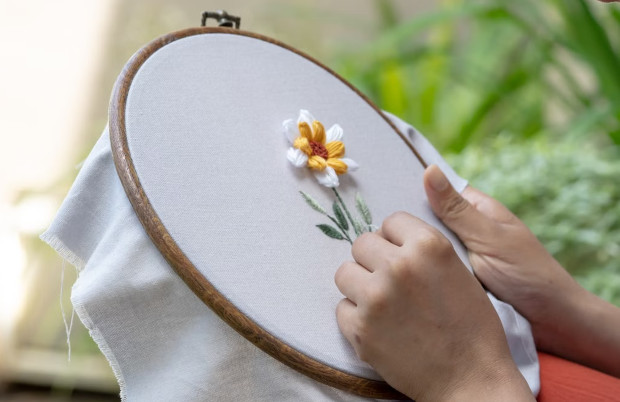
Start With Something Small
You don’t need to do something super elaborate in order to make a lovely gift. A neatly embroidered name or a small, personalised picture can be enough. Pick a project you fancy making, get comfortable with your software, and see where it takes you.
Guest Article.
Related Posts


About The Author

A Mum Reviews
This blog is edited by a mum with over 15 years of professional childcare experience. Now over a decade into motherhood and still enthusiastic about finding great products and helpful solutions for busy families to make life more fun and easier too.